
How to Search for a New Mexico Warrant
No public database searches every active warrant from every New Mexico court. Start with the free statewide New Mexico Case Lookup, a case index that can surface a case number, the court location, and a docket summary. It stops there. The full case file stays out of view, and the service does not certify a warrant's current status. Behind the public screen sits Odyssey, the Judiciary's internal case system, which runs a failure-to-appear (FTA) warrant workflow; some participating court locations can push qualifying warrant updates to the New Mexico Department of Public Safety (DPS). That internal path serves court staff, not the public. So begin with whatever you already hold: a citation, a court notice, a docket number, or the full name used in the case. A county alone may not pinpoint the right court, since criminal matters can sit in District, Magistrate, Bernalillo County Metropolitan, or a named Municipal Court. Use each public channel only for its stated scope, then ask the issuing court to verify whether its order remains active and what action it requires.
- Identify the case or citation and the court type shown on the notice. If the court is unclear, use the official New Mexico Courts Master List to locate the court clerk.
- Search New Mexico Case Lookup by name or case number. Add the court, case category, date, or other optional field only when you know it; extra filters can narrow a result.
- For a court-specific issue, contact that court's clerk and ask about the warrant label, current status, appearance requirement, and any court-approved way to resolve it.
- Check a relevant local sheriff portal or city-court portal when it fits the case. Use the New Mexico county directory to find the local route; municipal and lower-court records may not appear in the public state index.
- For an existing DPS record, use its formal public-records request process. For a federal case, use the federal court docket. Neither route gives the public access to NCIC, the FBI's restricted National Crime Information Center database, or a complete warrant register.
- If the result is unclear or absent, call the issuing court before traveling or paying. For a possible arrest warrant, a lawyer can explain safe next steps and whether a court appearance or motion is needed.
New Mexico Warrant Search Case Limits
Case Lookup finds public court cases; it is not a warrant-only query. Its online summary is not the official Judiciary record, and the service delivers no case documents. An entry may show a docket event tied to a warrant, yet the site never exposes the full Odyssey operational status record. So a search with no match cannot establish that no warrant exists. An older record, a sealed matter, a juvenile case, or a local municipal case may follow a different access path entirely. Registered users can go further through the court's separate re:SearchNM service, which offers more Odyssey case information by account tier. An active-warrant icon may appear in that extended interface, but registration tiers do not turn it into an unrestricted public statewide roster. A clerk at the issuing court remains the reliable source for that court's current order and instructions.
The internal transmission process has its own limits. The Judiciary's FTA warrant procedure covers District, Magistrate, and Metropolitan Court staff creating and updating one specific failure-to-appear warrant type. The SOP lays out an electronic route to DPS for some locations and manual steps where that route is not used. It promises neither that every court, warrant type, or change reaches a public index, nor that New Mexico publishes any statewide list of outstanding warrants through this channel.
New Mexico Warrant Search Fields
The public service indexes cases, so its fields identify a case rather than a statewide warrant entry. Labels can shift as the interface changes. Older official help describes the name-field order and number conventions. Search with your own details, or with information supplied by a family member with authority. Never send sensitive identifiers through a general agency contact form.
| Field Label | Type | Required | Notes |
|---|---|---|---|
| Name Search | Search mode | For name search | Legacy instructions use last, first, then middle name; extra criteria narrow matches. |
| Driver Lic. No. / State | Text and dropdown | Optional | Legacy fields; use only for your own case or an authorized family inquiry. |
| Date of Birth | Date or text | Optional | Legacy format is MM/DD/YYYY; it may help distinguish common names. |
| Court Type / Location | Filter | Optional | Legacy codes include District, Magistrate, Metropolitan, and Municipal entries; current labels may differ. |
| Case Category | Filter | Optional | Legacy examples include criminal, traffic, and civil categories. |
| Filing / Hearing Date | Date range | Optional | Use a known range to narrow a filing or hearing search. |
| Case Number Search | Text | For number search | Enter the case number as shown on the notice; appellate numbering differs. |
| DWI Search | Search mode | Unspecified | A separate DWI search; it does not cover every DWI warrant or municipal case. |
No public field exists for a statewide warrant number or a statewide county selector. Partial-name and wildcard behavior is unconfirmed, so do not rely on a guessed spelling variant to widen a New Mexico warrant check. If an old help page and the current screen disagree, follow the live interface. Call the clerk when the field you need is missing.
Note: New Mexico legacy name search uses filed-name order, but wildcard behavior is unconfirmed, so correct the spelling before broadening the query.
New Mexico Warrant Numbers and Status
A case number helps a clerk find the filing even when a name is common. Legacy Judiciary instructions show a five-part trial-court pattern: court type, location code, case category, year, and sequence. The displayed example D-307-CV-2015-00999 is a case-number illustration, not a warrant number; there, CV marks a civil category. Criminal and traffic matters carry their own category codes. Read a location code with the court directory rather than guessing from a county name.
Older court-type letters include D for District, M for Magistrate, T for Metropolitan, and U for Municipal, alongside appellate codes. Treat these conventions as search clues from legacy instructions, not a promise that every current portal displays every court or uses identical labels. When a citation shows a different number, copy it exactly and ask the court to identify the correct case. Never convert a docket number into an assumed warrant number.
A docket result and an operational warrant status are different records. The Judiciary's internal FTA workflow applies specific labels for issued, served, canceled, surrendered, and returned warrants. Those labels describe workflow events. The public Case Lookup does not provide the complete operational dataset as a statewide list, so a New Mexico docket entry may show that something happened in the case while leaving the present warrant status unresolved.
- Issued
- The court entered the warrant; confirm whether a later service or cancellation event followed.
- Served
- The Judiciary status guide uses this for execution by arrest and booking, or another event marked served under the procedure.
- Canceled
- The court withdrew the warrant. Cancellation does not, by itself, dismiss the underlying case.
- Surrender
- The person came to court or contacted it to resolve the outstanding order; separate case duties may remain.
- Issued in Error
- The court voided a warrant that should not have issued or was issued incorrectly.
- Returned Unserved
- Law enforcement returned the warrant without execution; the court can explain what follows.
New Mexico dockets also carry the label "Served on Booking Notice" under SOP procedures. That wording alone settles nothing. Ask the clerk whether the court updated the order and sent the required notice to law enforcement. The label is not a release instruction, and it does not prove the case is over.
What a New Mexico Warrant Search Returns
A New Mexico name search can return a case summary, the court location, a case number, and docket events that help identify the record holder. That is useful, but it is not everything. Public Case Lookup does not hand over the full court file or an authoritative warrant record covering all fields. The gap matters when a result shows a warrant event with no current operational status, when a docket is sealed, or when a municipal record falls outside the public service's narrow display.
| Case number | D-307-CV-2015-00999 is a legacy sample shape for a case number, not an example warrant number. |
|---|---|
| Party name | Use the name as filed to locate a case; do not assume fuzzy matching or a complete alias list. |
| Charge or event | A public docket may summarize a charge or event but does not provide every document. |
| Issuing court | Court type and location help identify the clerk who maintains the underlying case. |
| Warrant status | A docket entry may not show current service, cancellation, or surrender status. |
| Bond or release terms | Read the current court order and ask the clerk; terms are case-specific, not a statewide flat schedule. |
Before assuming a match, compare the case number, the court, and the event date. Need the actual warrant, return, or release order? Ask the issuing New Mexico court how to request that public document. A short public summary says nothing about sealed content, so do not infer it.
Note: A public docket event can locate the case, but the issuing court must confirm the warrant's current operational status.
New Mexico Sheriff Warrant Portals
Each county sheriff decides what to publish. One local example is the Bernalillo County Sheriff's Warrant Lookup, a warrant-specific system. Its opening screen offers search modes by name, warrant type, or warrant year, plus Submit and Reset controls. The search branches only after a mode is chosen, and the landing page shows no statewide county selector, no complete-coverage statement, and no public update schedule. It is one sheriff's system. It is not a New Mexico-wide warrant list, and it does not replace confirmation from Bernalillo Metropolitan Court.
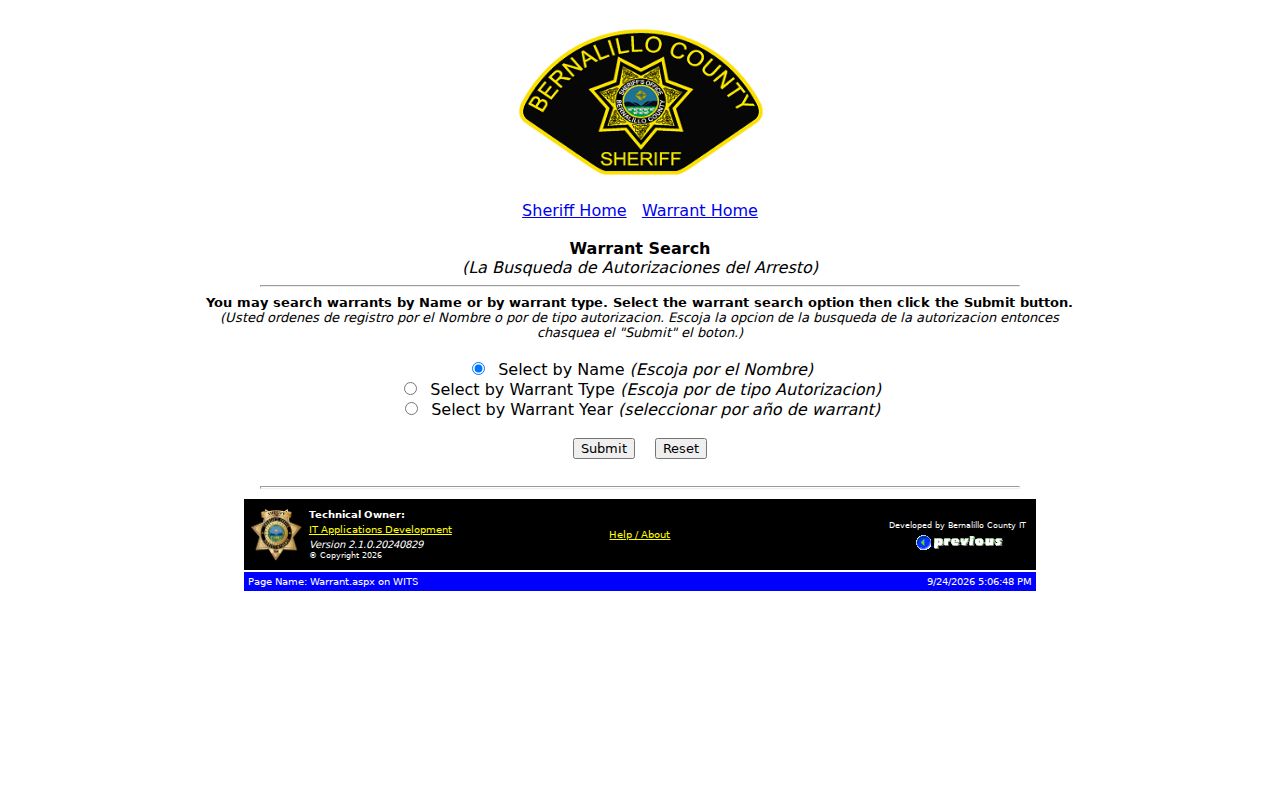
The official landing form appears here without any person's search result. Other counties may offer a phone or records channel instead of an online search, and those channels cover only that agency's own service information. No portal offered? Then check the county's official page for a Warrants Division or Records Unit contact, an accepted request method, or a public-records form. New Mexico has no uniform statewide sheriff warrant desk.
Where New Mexico Warrants Are Checked
A judge issues a court warrant, and the issuing court clerk maintains the case and its status. The sheriff or another authorized officer may serve the warrant and return the service information, but service does not make the sheriff the court of record. Court tiers matter here. The New Mexico District Court and its District Court Clerk handle general-jurisdiction felony matters, Magistrate Courts hear many misdemeanor, DWI, and traffic cases, Bernalillo County has a separate Metropolitan Court, and Municipal Courts handle local ordinance and related cases. Probate Court is not an ordinary criminal-warrant court. Pick the court by the citation, the notice, or the case type. The county directory helps you reach the local court and sheriff channels, and the official Judiciary Master List identifies court locations and clerks. A county name does not mean one "county court" holds every warrant. A city citation can stay with a Municipal Court even when a county sheriff or city police officer handles service. New Mexico also runs a statewide electronic court-to-DPS workflow that covers certain FTA bench warrants in participating District, Magistrate, and Metropolitan Court locations. That internal workflow does not mean all initial arrest warrants, municipal warrants, probation matters, or specialty-court orders feed one complete state index. The issuing clerk can tell you which agency holds the relevant public record.
New Mexico Municipal Warrant Gaps
The public state index does not show a full municipal docket. Judiciary guidance limits municipal Case Lookup content to historical criminal domestic-violence and DWI conviction information beginning September 1, 1991, not every traffic, ordinance, or warrant matter. Juvenile criminal cases have not been publicly displayed since July 1, 2007, and sealed or older paper-era matters can be absent too. A city may run its own case or calendar portal, but its purpose and update delay must be checked locally. Consider Santa Fe Municipal Court, which links a FullCourt public portal with searches by Attorney, Officer, Party, Police Reference Number, Vehicle Plate, or a known docket number. It is a general case and calendar portal, not a complete warrant list, and the city warns that recent entries may lag. Use it only for that city's court. For another city or a Magistrate matter, contact the court named on the ticket or in the notice rather than treating one portal as statewide coverage. Bernalillo County adds another distinction: Albuquerque criminal and warrant questions route to Metropolitan Court rather than a presumed Albuquerque Municipal Court. Confirm the court tier before following an online result, especially when a sheriff search and a court case portal appear to disagree.
Note: Santa Fe's portal is a local city channel; other New Mexico municipal courts may use different search and contact methods.
Access and Restricted Warrants
New Mexico limits public access to court records and law-enforcement data in several ways. The Rule 1-079 court-record rule defines public access alongside confidential categories and sealing orders. A docket can be public while a warrant affidavit stays restricted. The Children's Code protects juvenile case information as well. New Mexico Case Lookup has not displayed juvenile criminal matters since July 1, 2007.
Access limits:
Public Case Lookup omits Social Security numbers and street addresses and does not deliver case documents.
A court order, rule, or statute may seal or restrict a record; a clerk cannot override that limit.
IPRA does not make NCIC, juvenile, sealed, or protected law-enforcement information available to a public requester.
The New Mexico Inspection of Public Records Act lets a person request an existing public record from the correct custodian. The act does not force an agency to build a custom warrant index or run a restricted criminal-justice query. A failed public search is not a formal denial, and it is not a no-warrant certificate.
New Mexico IPRA Warrant Requests
A written request under New Mexico's Inspection of Public Records Act works best when you name an actual record and send it to the right public body. Court filings stay with the court. A DPS record belongs to DPS. A sheriff's service record belongs to that sheriff's office. When you know the case number, use it to ask for the docket, the warrant return, or a public service record. One caution: a records response may hand you a copy without telling you what the order currently requires, so ask the clerk separately to confirm present status. For DPS holdings, the official DPS IPRA request portal is the intake route for existing records.
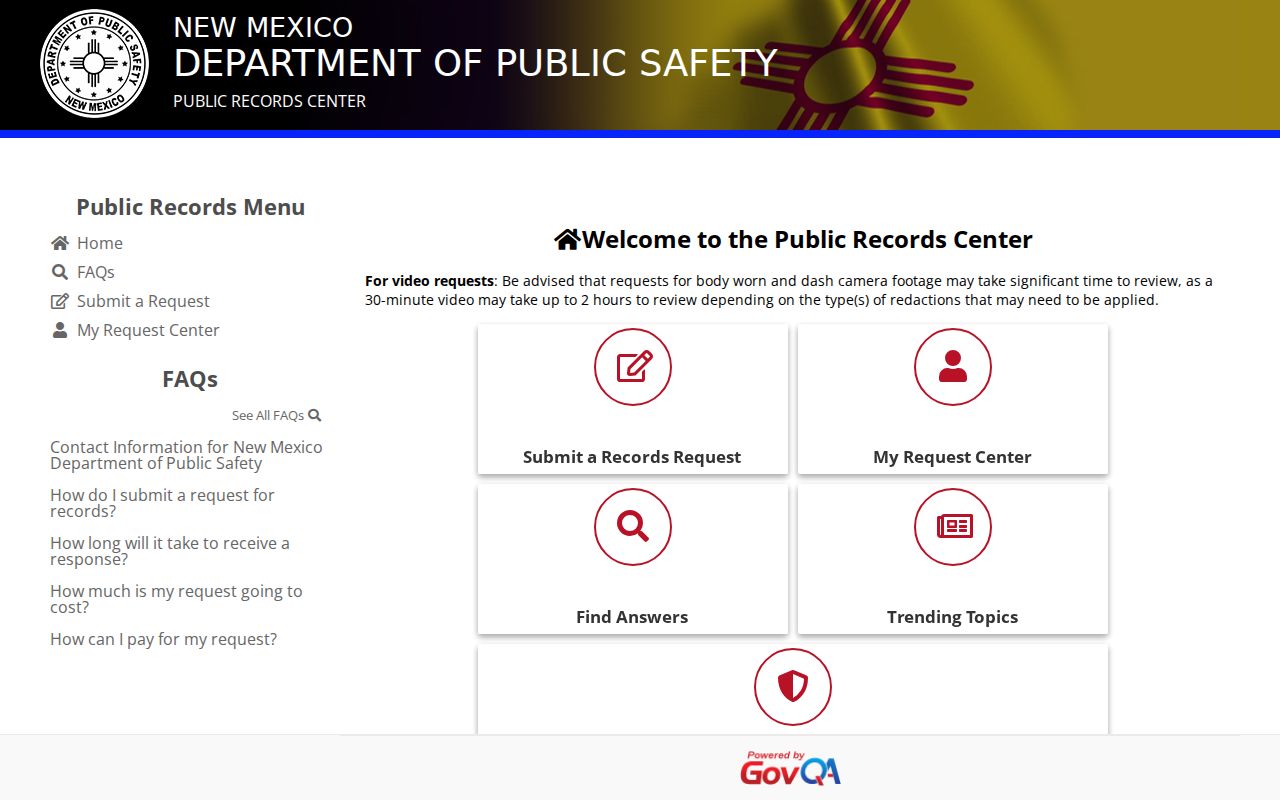
The portal lets you request records that the New Mexico Department of Public Safety already holds. That is its whole job. It is not a live warrant search, an NCIC query, or a tool that forces the agency to build a statewide warrant index. Any sensitive identifier belongs in a secure official process, never a general contact form. Timing matters, too. New Mexico DOJ guidance says a public body should allow prompt inspection, and if three business days pass without it, the body must send a written response explaining when inspection will happen or when it will answer. One limit stands: an IPRA request cannot override a sealing order, a juvenile privacy rule, or a law-enforcement exception.
Note: A DPS IPRA response concerns records held by DPS; ask the issuing court for current warrant status and court instructions.
Note: A DPS IPRA response concerns records held by DPS; ask the issuing court for current warrant status and court instructions.